目录
一、在网络连通的情况下,开启telnet服务
二、用户认证配置
1. 密码认证模式
2. aaa认证模式
三、eNSP模拟器telnet测试环境搭建
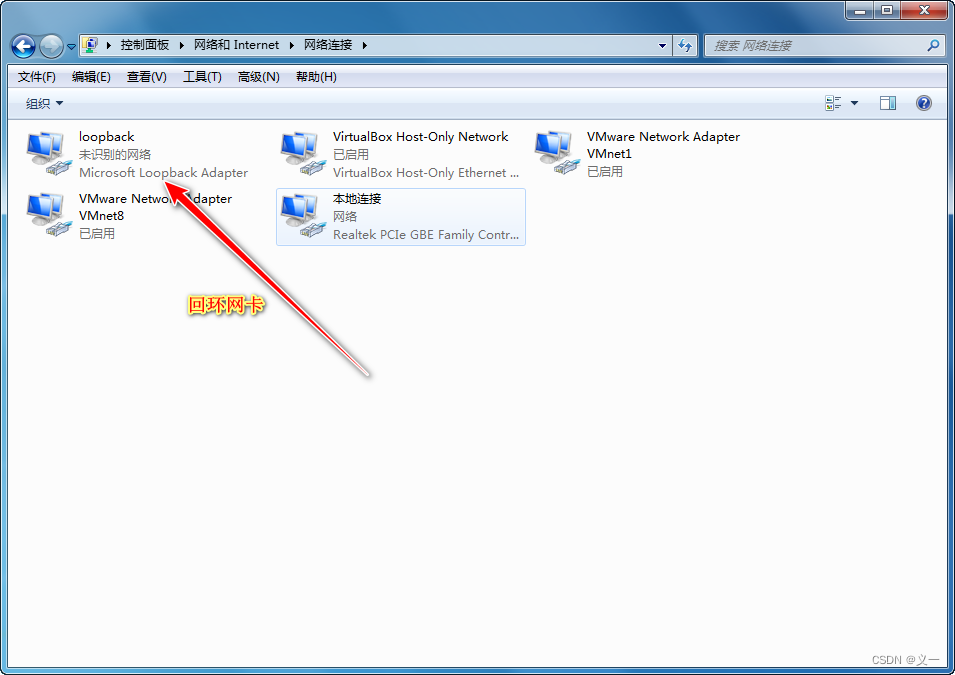
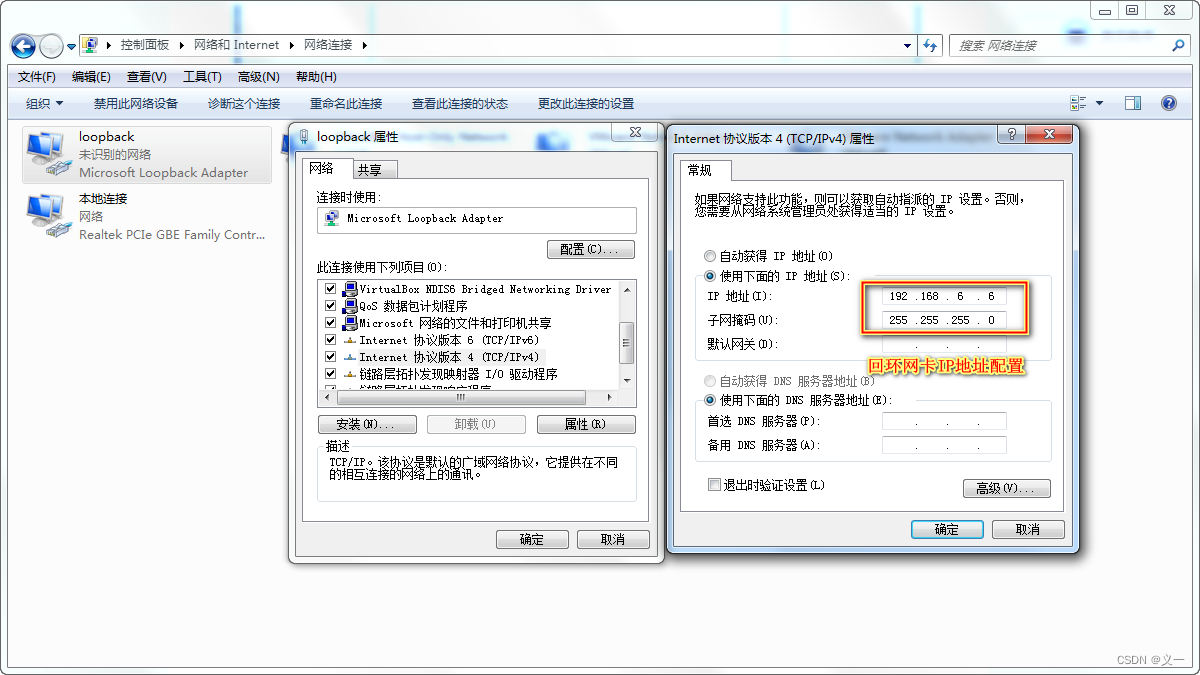
1.在物理机上创建回环网卡及IP地址配置
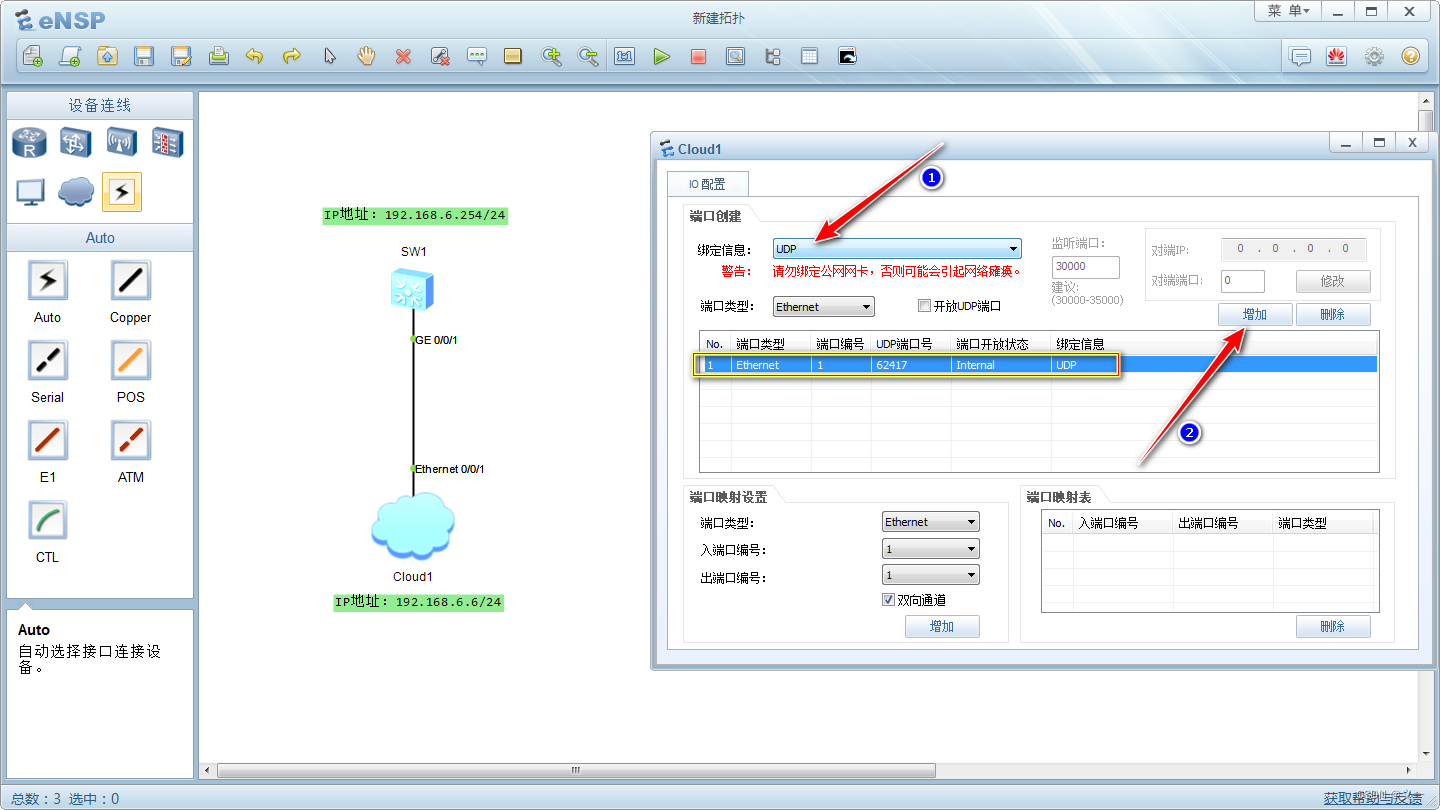
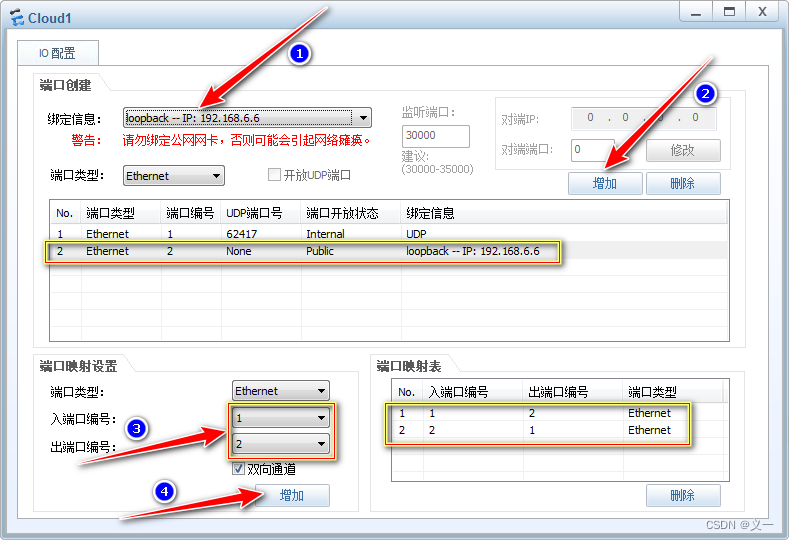
2. eNSP模拟器与物理机实现连接通信
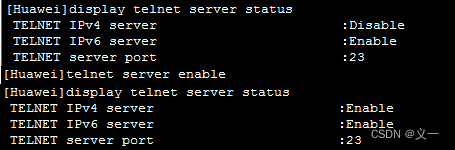
一、在网络连通的情况下,开启telnet服务
[Huawei]display telnet server status //查看telnet服务状态
[Huawei]telnet server enable //开启telnet服务
二、用户认证配置
1. 密码认证模式
[Huawei]user-interface vty 0 4
[Huawei-ui-vty0-4]authentication-mode password //设置认证模式为密码认证
[Huawei-ui-vty0-4]set authentication password cipher h123.com //设置认证密码为h123.com

有的设备密码设置有位数和大小写特殊符号要求
[Huawei-ui-vty0-4]user privilege level 15 //配置用户权限级别为15
2. aaa认证模式
[Huawei]user-interface vty 0 4
[Huawei-ui-vty0-4]authentication-mode aaa //设置认证模式为aaa认证
[Huawei-ui-vty0-4]quit
[Huawei]aaa //进入aaa模式
[Huawei-aaa]local-user test password cipher 1234.com //创建用户test,密码设置为1234.com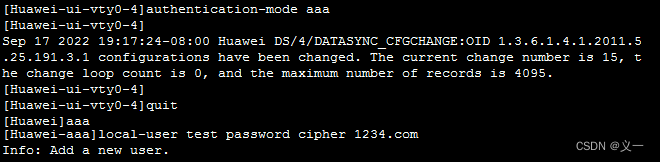
[Huawei-aaa]local-user test privilege level 15 //配置用户权限级别为15
[Huawei-aaa]local-user test service-type telnet //配置test为telnet服务用户
[Huawei-aaa]local-user test service-type telnet terminal http //配置test为telnet、console、http服务用户
三、eNSP模拟器telnet测试环境搭建
应用场景:因ensp模拟器中的PC无法使用telnet命令,为了实现telnet连接ensp模拟器中路由、交换等设备,搭建此环境。 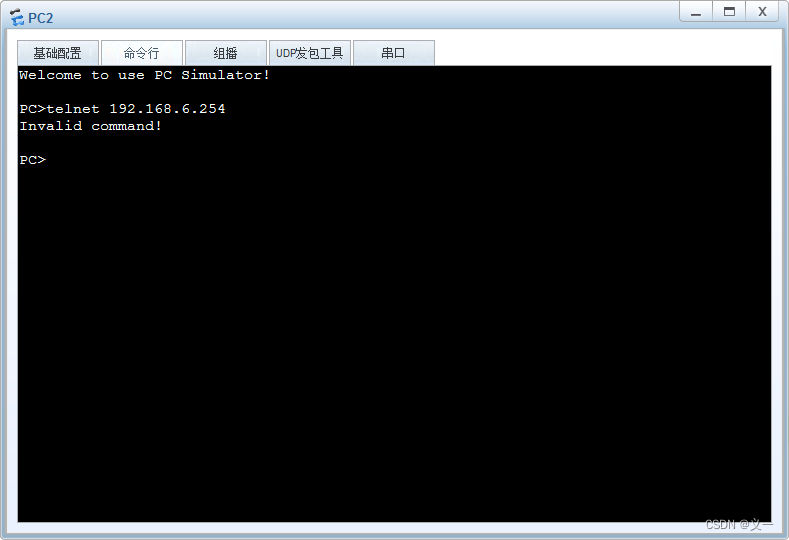
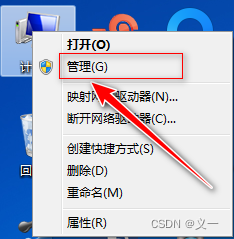
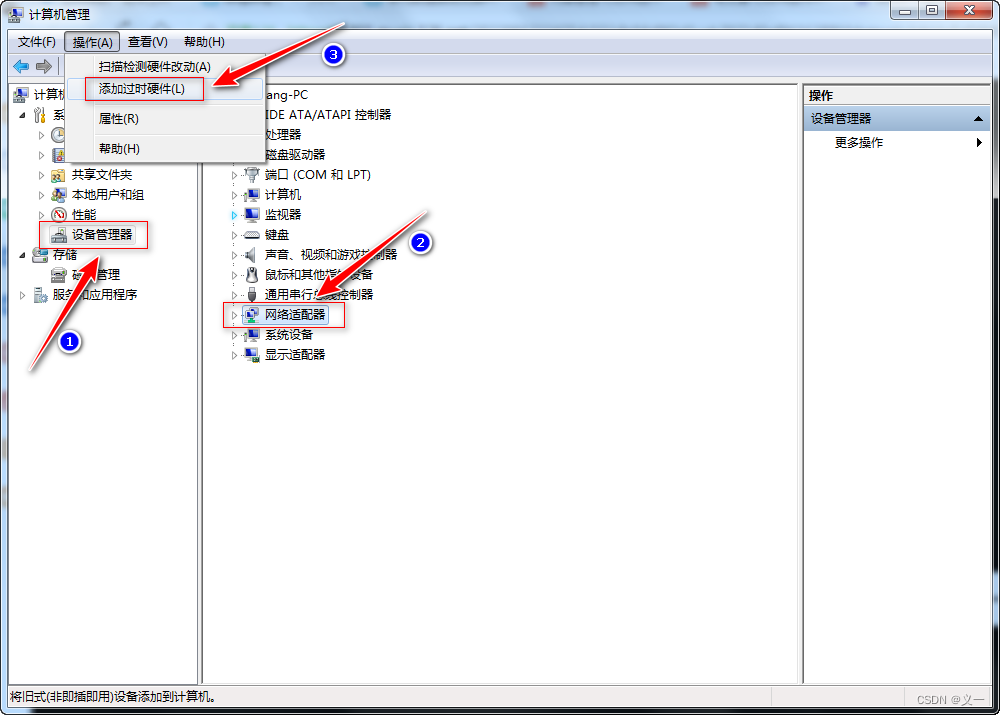
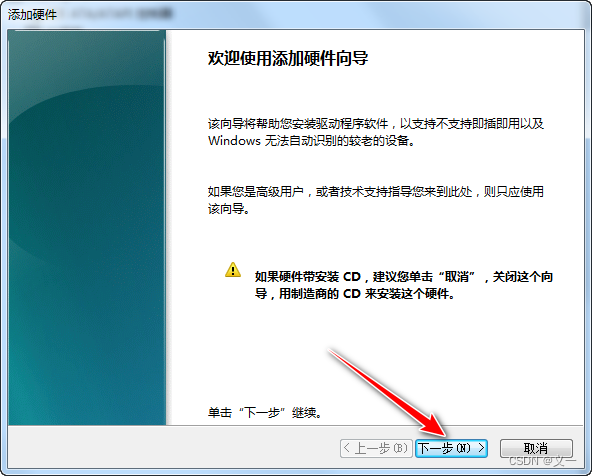
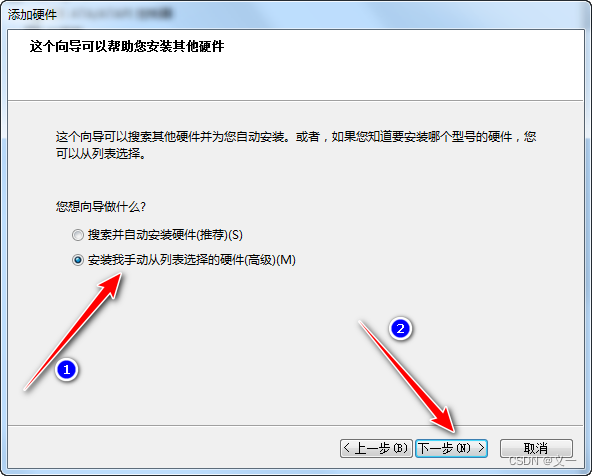
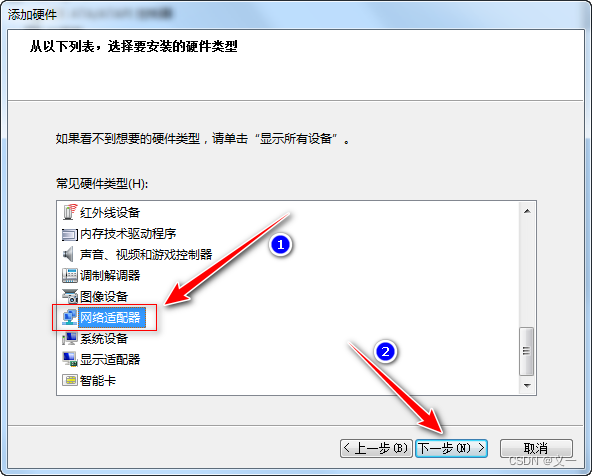
1.在物理机上创建回环网卡及IP地址配置
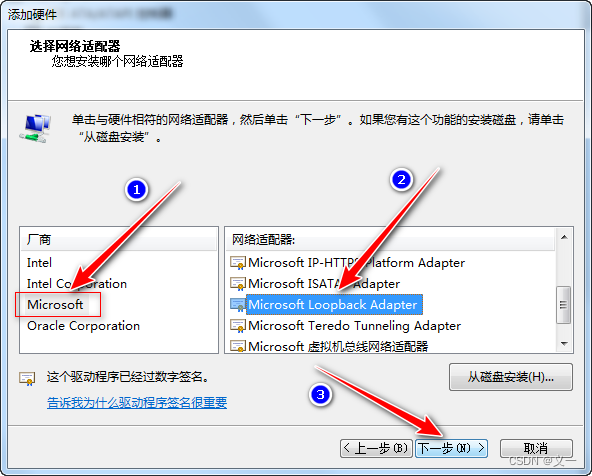
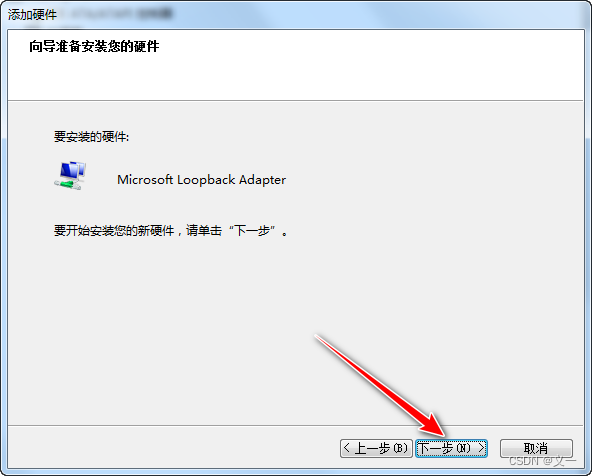
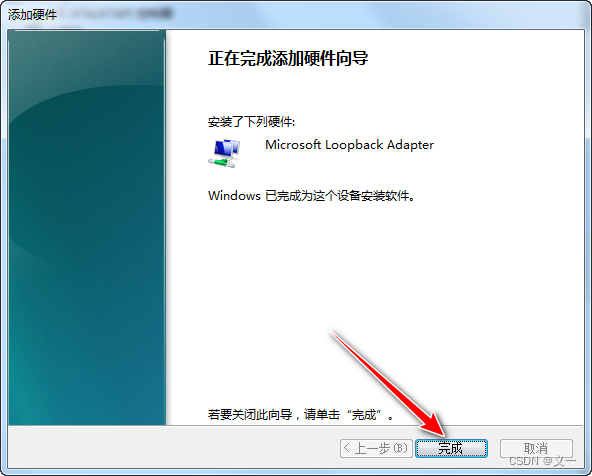
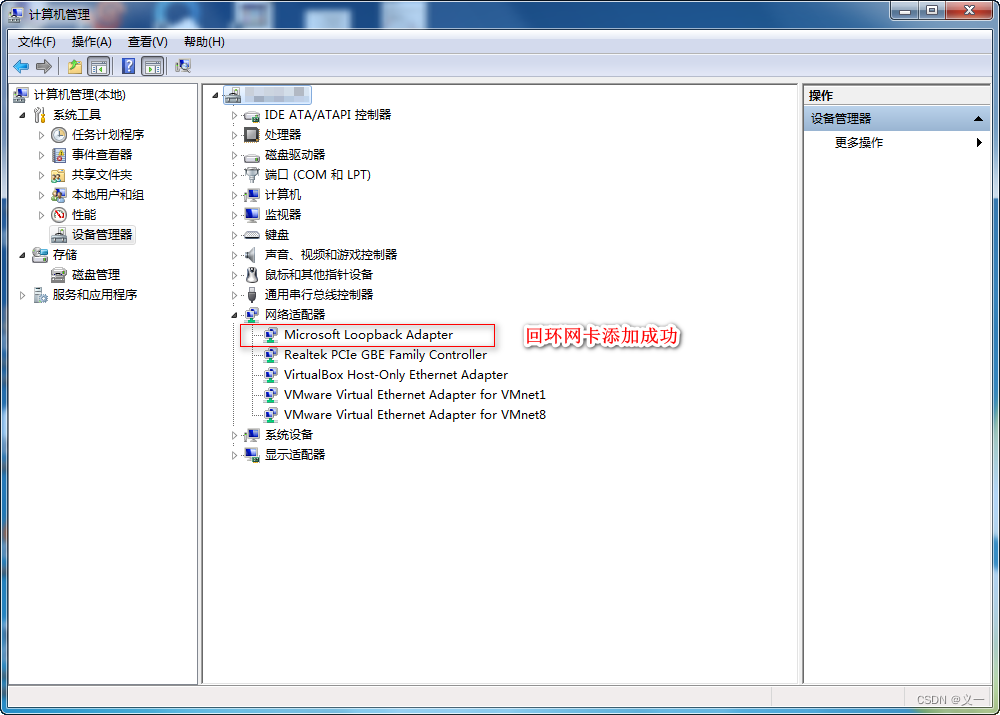
2. eNSP模拟器与物理机实现连接通信
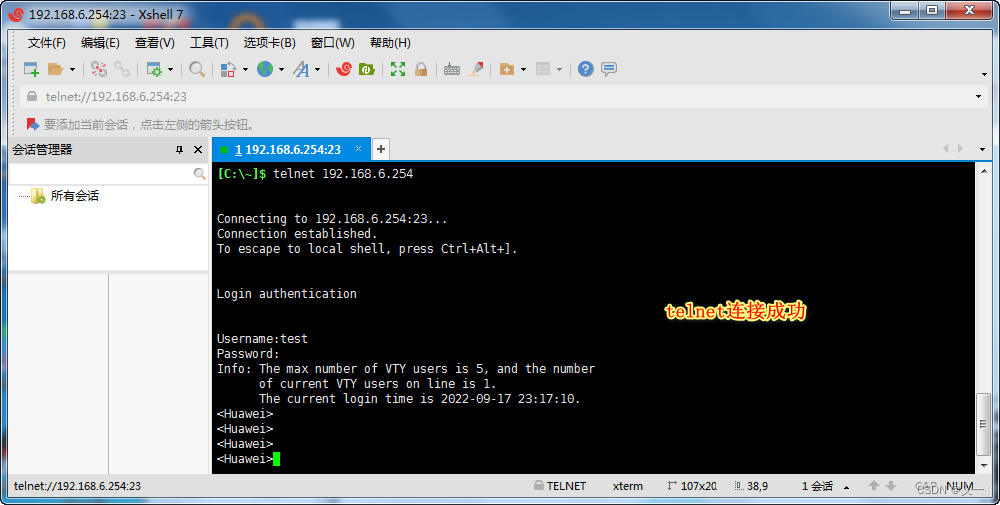
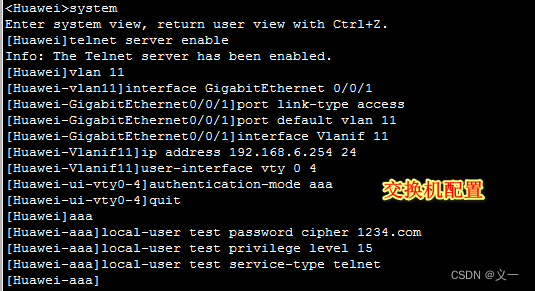
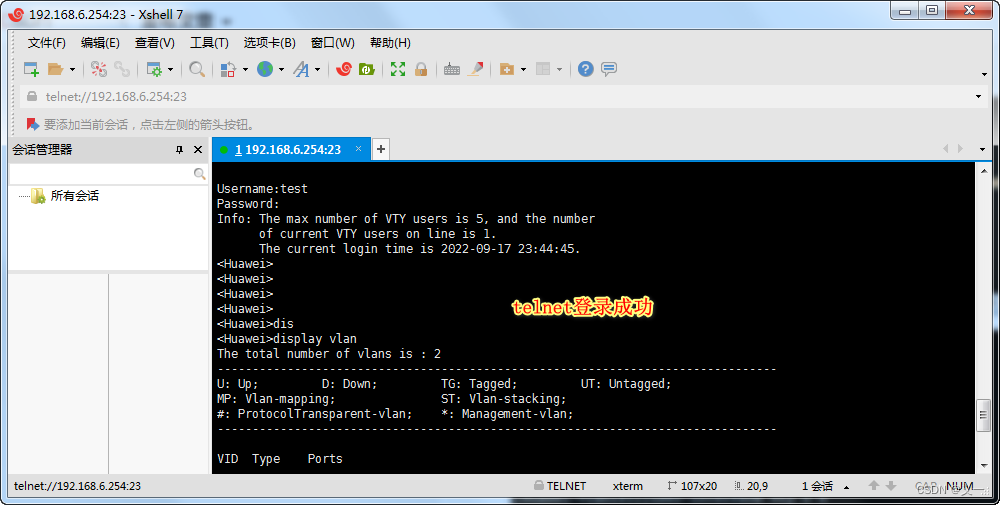
交换机配置命令:
system
telnet server enable
vlan 11
interface GigabitEthernet 0/0/1
port link-type access
port default vlan 11
interface Vlanif 11
ip address 192.168.6.254 24
user-interface vty 0 4
authentication-mode aaa
quit
aaa
local-user test password cipher 1234.com
local-user test privilege level 15
local-user test service-type telnet
最后
以上就是愉快铃铛最近收集整理的关于VRP远程管理(华为设备telnet登录密码配置与测试环境搭建)——在物理机上创建回环网卡及eNSP模拟器与物理机实现连接通信的全部内容,更多相关VRP远程管理(华为设备telnet登录密码配置与测试环境搭建)——在物理机上创建回环网卡及eNSP模拟器与物理机实现连接通信内容请搜索靠谱客的其他文章。








发表评论 取消回复