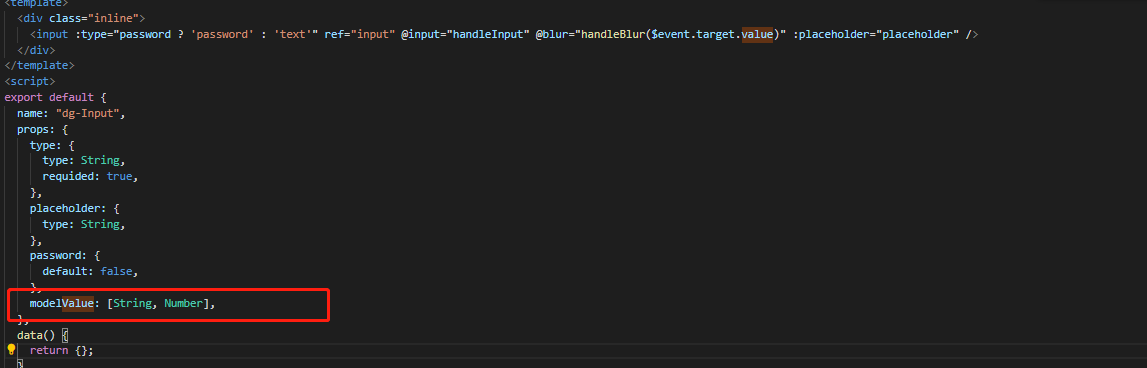
首先要注意 vue3中 v-model 默认绑定的变量名变了,从原理的 value 改成了 modelValue,
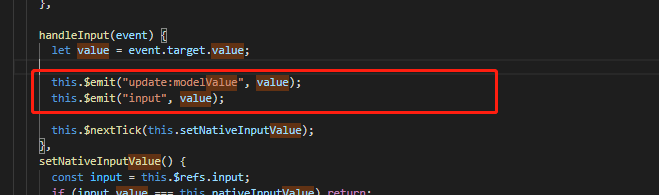
如果要改变变量的值,要执行一个事件 this.$emit("update:modelValue", value);
<template>
	<div class="inline">
		<input :type="password ? 'password' : 'text'" ref="input" @input="handleInput" @blur="handleBlur($event.target.value)" :placeholder="placeholder" />
	</div>
</template>
<script>
export default {
	name: "dg-Input",
	props: {
		type: {
			type: String,
			requided: true,
		},
		placeholder: {
			type: String,
		},
		password: {
			default: false,
		},
		modelValue: [String, Number],
	},
	data() {
		return {};
	},
	computed: {
		nativeInputValue() {
			return this.modelValue === null || this.modelValue === undefined ? "" : String(this.modelValue);
		},
	},
	methods: {
		handleInput(event) {
			let value = event.target.value;
			this.$emit("update:modelValue", value);
			this.$emit("input", value);
			this.$nextTick(this.setNativeInputValue);
		},
		setNativeInputValue() {
			const input = this.$refs.input;
			if (input.value === this.nativeInputValue) return;
			input.value = this.nativeInputValue;
		},


	},
	mounted() {
		this.setNativeInputValue();
	},
};
</script>
<style lang="scss" scoped>
.inline {
	display: inline-block;
	input {
		width: 100%;
		height: 100%;
		padding-left: 5px;
	}
}
</style>
vue3文档地址
最后
以上就是务实橘子最近收集整理的关于vue3 封装自定义组件v-model的全部内容,更多相关vue3内容请搜索靠谱客的其他文章。
本图文内容来源于网友提供,作为学习参考使用,或来自网络收集整理,版权属于原作者所有。








发表评论 取消回复