开发环境:
操作系统:windows 10 64位
QT版本:5.10.0
QT编译链: MinGW 32bit
python版本:python3.8 32位
1.安装QT和python
注意一定要都是32位或都是64位的。
2.创建QT工程
新建widgets或console都可以,在工程上右键->添加库
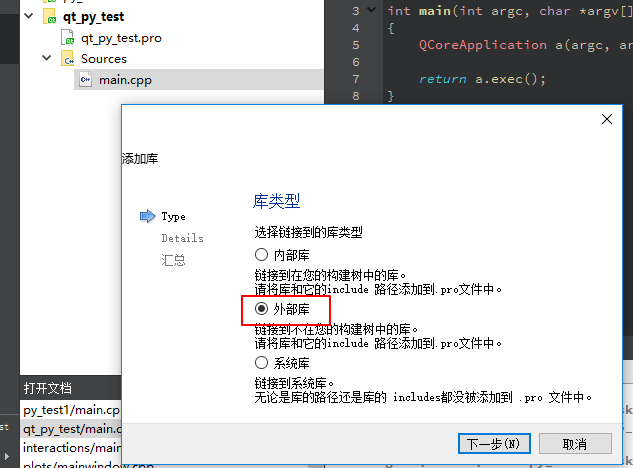
选择外部库
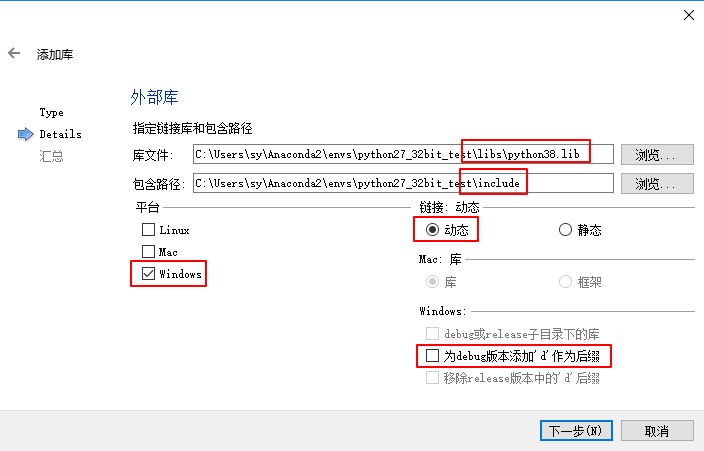
选择库文件和头文件路径,选择平台,选择动态链接

点完成后.pro文件中会添加这几行
3.python模块
#!/usr/bin/env python
# -*- coding: utf-8 -*-

def hello():
    print "hello,world!"
编写python模块命名为“qt_py.py”,和.exe放到一起,确保.exe能找到py文件
注意python模块的语法一定要和python版本对应
4.编写例子
    //如果没有在环境变量中添加python,这里要写这一句
    Py_SetPythonHome("C:/Users/sy/Anaconda2/envs/python27_32bit_test");
    //初始化python模块
    Py_Initialize();
    PyRun_SimpleString("import sys");
    PyRun_SimpleString("sys.path.append('./')");
    qDebug("Py_Initialize!n");
    if ( !Py_IsInitialized() )
    {
        qDebug("init error!n");
    }
    //导入qt_py.py模块
    PyObject* pModule = PyImport_ImportModule("qt_py");
    qDebug("PyImport_ImportModule!n");
    if (!pModule)
    {
        qDebug("Cant open python file!n");
    }
    //获取qt_py模块中的hello函数
    PyObject* pFunhello= PyObject_GetAttrString(pModule,"hello");

    if(!pFunhello)
    {
        qDebug()<<"Get function hello failed"<<endl;
    }
    //调用hello函数
    PyObject_CallFunction(pFunhello,NULL);
    //结束,释放python
    Py_Finalize();

    getchar();
运行时会报一个错:
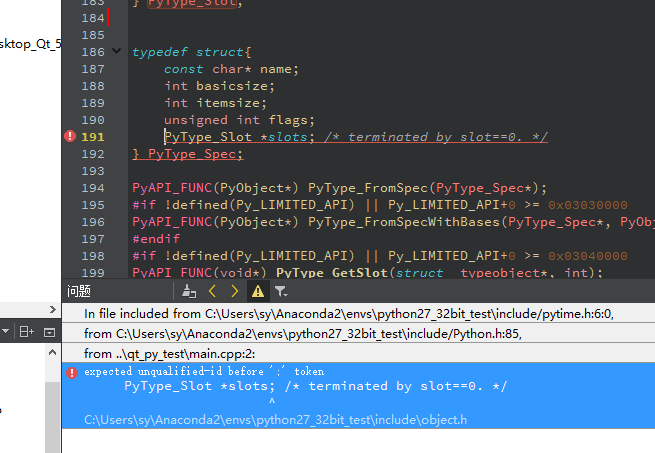
QT中的slots和这里的冲突了,在这里先取消QT中的定义
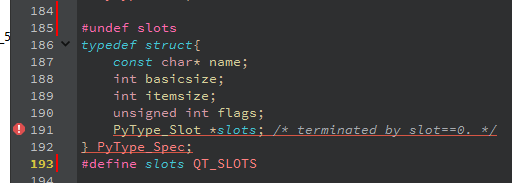
5.运行程序
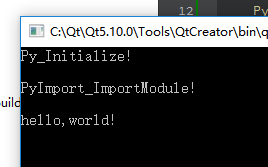
6.坑
这位博主总结的很好:https://blog.csdn.net/herr_kun/article/details/84570258
坑1:如果在qt creator中运行没有打印,直接双击编译后的.exe文件(注意先打包库)
坑2:如果运行PyImport_ImportModule函数返回错误,检查文件是否能找到,检查程序的语法是python2还是python3
最后
以上就是魁梧大炮最近收集整理的关于在QT中调用python模块的全部内容,更多相关在QT中调用python模块内容请搜索靠谱客的其他文章。
本图文内容来源于网友提供,作为学习参考使用,或来自网络收集整理,版权属于原作者所有。








发表评论 取消回复