一.简介
FreeMarker 是一个模板引擎,一个基于模板生成文本输出的通用工具,使用纯 Java 编写,FreeMarker 被设计用来生成 HTML Web 页面,特别是基于 MVC 模式的应用程序,虽然 FreeMarker 具有一些编程的能力,但通常由 Java 程序准备要显示的数据,由FreeMarker 生成页面,通过模板显示准备的数据
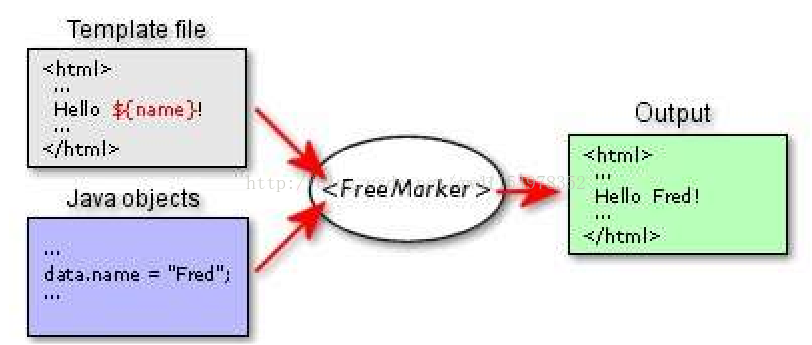
FreeMarker 不是一个 Web 应用框架,而适合作为 Web 应用框架一个组件。FreeMarker 与容器无关,因为它并不知道 HTTP 或 Servlet;FreeMarker 同样可以应用于非Web应用程序环境,FreeMarker 更适合作为 Model2 框架(如 Struts)的视图组件,你也可以在模板中使用 JSP标记库。另外,FreeMarker是免费的。
2.应用场景
比较适合运用在访问量大(或页面数据量大),但是数据很少与后台进行交互(即对实时性要求不是很高的)的页面,比如商品网站上的商品详情页等。
3.前期准备
要想使用freemarker,首先必须要有freemarker的jar包,这个互联网上随处可以下载,这边就不多说
-
<dependency> -
<groupId>freemarker</groupId> -
<artifactId>freemarker</artifactId> -
<version>2.3.9</version> -
</dependency>
4.入门demo
(1)创建一个testFreemarker类
-
import java.io.File; -
import java.io.FileWriter; -
import java.io.Writer; -
import java.util.HashMap; -
import java.util.Map; -
import freemarker.template.Configuration; -
import freemarker.template.Template; -
/** -
* @作者:JackHisen(GWD) -
* @项目名:freemarker -
* @时间:2017-7-25 下午2:39:45 -
* @version 1.0 -
*/ -
public class testFreemarker { -
public static void main(String[] args) throws Exception { -
String dir="H:\Java-EE Workspace\freemarker\src\com\gwd\freemarker"; -
Configuration conf = new Configuration(); -
//加载模板文件(模板的路径) -
conf.setDirectoryForTemplateLoading(new File(dir)); -
// 加载模板 -
Template template = conf.getTemplate("/freemarker-demo.ftl"); -
// 定义数据 -
Map root = new HashMap(); -
root.put("world", "Hello World"); -
// 定义输出 -
Writer out = new FileWriter(dir + "/freemarker.html"); -
template.process(root, out); -
System.out.println("转换成功"); -
out.flush(); -
out.close(); -
} -
}
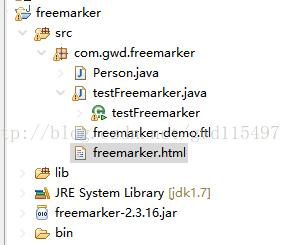
项目目录如下,其中freemarker.html文件是运行main函数后自动生成的,freemarker-demo.ftl为模板
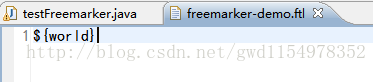
(2)freemarker模板中写入内容
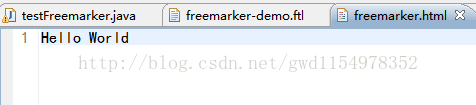
(3)生成的html页面:
5.其他数据类型
1.实体bean
(1)创建Person类
-
public class Person { -
private int id; -
private String name; -
public int getId() { -
return id; -
} -
public void setId(int id) { -
this.id = id; -
} -
public String getName() { -
return name; -
} -
public void setName(String name) { -
this.name = name; -
} -
}
(2)testFreemarker
-
public class testFreemarker { -
public static void main(String[] args) throws Exception { -
String dir="H:\Java-EE Workspace\freemarker\src\com\gwd\freemarker"; -
Configuration conf = new Configuration(); -
//加载模板文件(模板的路径) -
conf.setDirectoryForTemplateLoading(new File(dir)); -
// 加载模板 -
Template template = conf.getTemplate("/freemarker-demo.ftl"); -
// 定义数据 -
Person person=new Person(); -
person.setId(1); -
person.setName("小明"); -
Map root = new HashMap(); -
root.put("person", person); -
// 定义输出 -
Writer out = new FileWriter(dir + "/freemarker.html"); -
template.process(root, out); -
System.out.println("转换成功"); -
out.flush(); -
out.close(); -
} -
}
(3)Freemarker模板
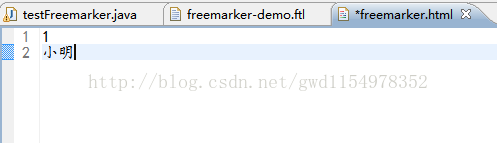
${person.id}
${person.name}
(4)生成的html页面
2.List集合
(1)testFreemarker
-
public class testFreemarker { -
public static void main(String[] args) throws Exception { -
String dir="H:\Java-EE Workspace\freemarker\src\com\gwd\freemarker"; -
Configuration conf = new Configuration(); -
//加载模板文件(模板的路径) -
conf.setDirectoryForTemplateLoading(new File(dir)); -
// 加载模板 -
Template template = conf.getTemplate("/freemarker-demo.ftl"); -
// 定义数据 -
Person p1=new Person(); -
p1.setId(1); -
p1.setName("小明"); -
Person p2=new Person(); -
p2.setId(2); -
p2.setName("小华"); -
List<Person> person=new ArrayList<Person>(); -
person.add(p1); -
person.add(p2); -
Map root = new HashMap(); -
root.put("person", person); -
// 定义输出 -
Writer out = new FileWriter(dir + "/freemarker.html"); -
template.process(root, out); -
System.out.println("转换成功"); -
out.flush(); -
out.close(); -
} -
}
(2)模板
-
<#list person as p> -
${p.id}/${p.name} -
</#list>
(3)生成的html文件

3.Map集合
1.testFreemarker
-
public class testFreemarker { -
public static void main(String[] args) throws Exception { -
String dir="H:\Java-EE Workspace\freemarker\src\com\gwd\freemarker"; -
Configuration conf = new Configuration(); -
//加载模板文件(模板的路径) -
conf.setDirectoryForTemplateLoading(new File(dir)); -
// 加载模板 -
Template template = conf.getTemplate("/freemarker-demo.ftl"); -
// 定义数据 -
Map root = new HashMap(); -
Map mxs = new HashMap(); -
mxs.put("fbb","范冰冰"); -
mxs.put("lbb","李冰冰"); -
root.put("mxs",mxs); -
// 定义输出 -
Writer out = new FileWriter(dir + "/freemarker.html"); -
template.process(root, out); -
System.out.println("转换成功"); -
out.flush(); -
out.close(); -
} -
}
2.模板(两种写法)
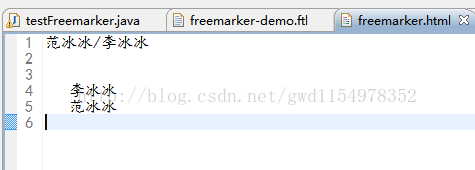
-
${mxs.fbb}/${mxs.lbb} -
<#list mxs?keys as k> -
${mxs[k]} -
</#list>
3.生成的html
4.List<Map>集合
1.testFreemarker
-
public class testFreemarker { -
public static void main(String[] args) throws Exception { -
String dir="H:\Java-EE Workspace\freemarker\src\com\gwd\freemarker"; -
Configuration conf = new Configuration(); -
//加载模板文件(模板的路径) -
conf.setDirectoryForTemplateLoading(new File(dir)); -
// 加载模板 -
Template template = conf.getTemplate("/freemarker-demo.ftl"); -
// 定义数据 -
Map root = new HashMap(); -
List<Map> maps = new ArrayList<Map>(); -
Map pms1 = new HashMap(); -
pms1.put("id1", "范冰冰"); -
pms1.put("id2", "李冰冰"); -
Map pms2 = new HashMap(); -
pms2.put("id1", "曾志伟"); -
pms2.put("id2", "何炅"); -
maps.add(pms1); -
maps.add(pms2); -
root.put("maps", maps); -
// 定义输出 -
Writer out = new FileWriter(dir + "/freemarker.html"); -
template.process(root, out); -
System.out.println("转换成功"); -
out.flush(); -
out.close(); -
} -
}
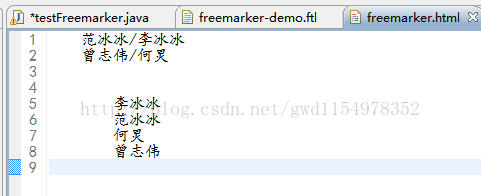
2.模板(2种)
-
<#list maps as m> -
${m.id1}/${m.id2} -
</#list> -
<#list maps as m> -
<#list m?keys as k> -
${m[k]} -
</#list> -
</#list>
3.生成的html
5.获得当前迭代的索引
(1)testFreemarker
-
public class testFreemarker { -
public static void main(String[] args) throws Exception { -
String dir="H:\Java-EE Workspace\freemarker\src\com\gwd\freemarker"; -
Configuration conf = new Configuration(); -
//加载模板文件(模板的路径) -
conf.setDirectoryForTemplateLoading(new File(dir)); -
// 加载模板 -
Template template = conf.getTemplate("/freemarker-demo.ftl"); -
// 定义数据 -
Map root = new HashMap(); -
Person p1=new Person(); -
p1.setId(1); -
p1.setName("李冰冰"); -
Person p2=new Person(); -
p2.setId(2); -
p2.setName("范冰冰"); -
Person p3=new Person(); -
p3.setId(3); -
p3.setName("沙冰冰"); -
List<Person> list = new ArrayList<Person>(); -
list.add(p1); -
list.add(p2); -
list.add(p3); -
root.put("persons", list); -
// 定义输出 -
Writer out = new FileWriter(dir + "/freemarker.html"); -
template.process(root, out); -
System.out.println("转换成功"); -
out.flush(); -
out.close(); -
} -
}
(2)模板
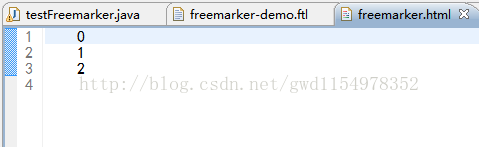
-
<#list persons as p> -
${p_index} -
</#list>
(3)生成的html文件
(6)在模板中进行赋值
(1)testFreemarker
-
package com.gwd.freemarker; -
import java.io.File; -
import java.io.FileWriter; -
import java.io.Writer; -
import java.util.ArrayList; -
import java.util.HashMap; -
import java.util.List; -
import java.util.Map; -
import freemarker.template.Configuration; -
import freemarker.template.Template; -
/** -
* @作者:JackHisen(GWD) -
* @项目名:freemarker -
* @时间:2017-7-25 下午2:39:45 -
* @version 1.0 -
*/ -
public class testFreemarker { -
public static void main(String[] args) throws Exception { -
String dir="H:\Java-EE Workspace\freemarker\src\com\gwd\freemarker"; -
Configuration conf = new Configuration(); -
//加载模板文件(模板的路径) -
conf.setDirectoryForTemplateLoading(new File(dir)); -
// 加载模板 -
Template template = conf.getTemplate("/freemarker-demo.ftl"); -
// 定义数据 -
Map root = new HashMap(); -
root.put("world","hello world"); -
// 定义输出 -
Writer out = new FileWriter(dir + "/freemarker.html"); -
template.process(root, out); -
System.out.println("转换成功"); -
out.flush(); -
out.close(); -
} -
}
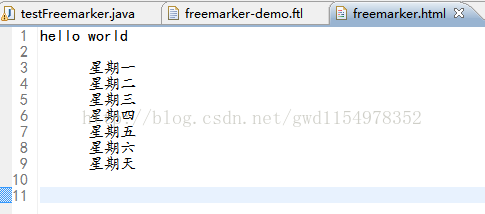
(2)模板
-
<#assign x="${world}" /> -
${x} -
<#assign x> -
<#list ["星期一", "星期二", "星期三", "星期四", "星期五", "星期六", "星期天"] as n> -
${n} -
</#list> -
</#assign> -
${x}
(3)生成的html
7.if语句
(1)申明:一般情况下模板中的数据来源于后台,但是这边为了方便演示,所以数据都在模板中写死了,后台testFreemarker可以同上,但实际上map可以为空,只要确保能生成html页面即可
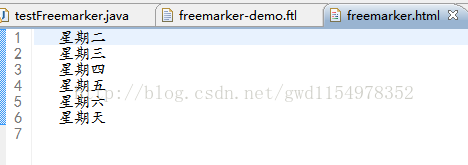
(2)模板
-
<#list ["星期一", "星期二", "星期三", "星期四", "星期五", "星期六", "星期天"] as n> -
<#if n != "星期一"> -
${n} -
</#if> -
</#list>
(3)生成的html文件
8.else语句
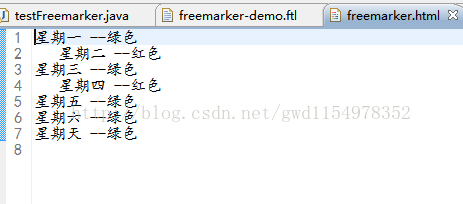
(1)模板
-
<#list ["星期一", "星期二", "星期三", "星期四", "星期五", "星期六", "星期天"] as n> -
<#if (n_index == 1) || (n_index == 3)> -
${n} --红色 -
<#else> -
${n} --绿色 -
</#if> -
</#list>
(2)生成的html
9.格式化日期
(1)testFreemarker
-
public class testFreemarker { -
public static void main(String[] args) throws Exception { -
String dir="H:\Java-EE Workspace\freemarker\src\com\gwd\freemarker"; -
Configuration conf = new Configuration(); -
//加载模板文件(模板的路径) -
conf.setDirectoryForTemplateLoading(new File(dir)); -
// 加载模板 -
Template template = conf.getTemplate("/freemarker-demo.ftl"); -
// 定义数据 -
Map root = new HashMap(); -
root.put("cur_time",new Date()); -
// 定义输出 -
Writer out = new FileWriter(dir + "/freemarker.html"); -
template.process(root, out); -
System.out.println("转换成功"); -
out.flush(); -
out.close(); -
} -
}
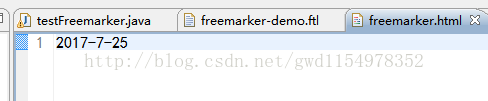
(2)日期模板
${cur_time?date}生成html
(3)日期时间模板
${cur_time?datetime}生成html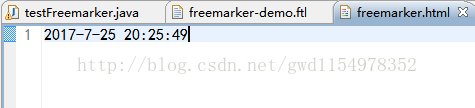
(4)时间模板
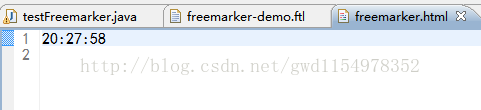
${cur_time?time}
生成html
10.对null的处理
(1)testFreemarker
-
public class testFreemarker { -
public static void main(String[] args) throws Exception { -
String dir="H:\Java-EE Workspace\freemarker\src\com\gwd\freemarker"; -
Configuration conf = new Configuration(); -
//加载模板文件(模板的路径) -
conf.setDirectoryForTemplateLoading(new File(dir)); -
// 加载模板 -
Template template = conf.getTemplate("/freemarker-demo.ftl"); -
// 定义数据 -
Map root = new HashMap(); -
root.put("world",null); -
// 定义输出 -
Writer out = new FileWriter(dir + "/freemarker.html"); -
template.process(root, out); -
System.out.println("转换成功"); -
out.flush(); -
out.close(); -
} -
}
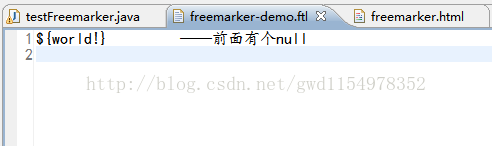
(2)null为空模板
${world!} ——前面有个null生成html
(3)为null时给默认值模板
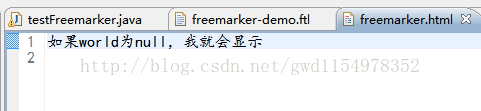
${world!"如果world为null,我就会显示"}
生成的html
11.宏定义
(1)普通宏定义
模板:
-
<#macro table u> -
${u} -
</#macro> -
<@table u="这个是宏定义" />
生成的html
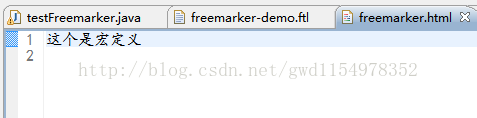
(2)扩展宏定义
模板:
-
<#macro table u> -
${u} -
<#nested/> -
</#macro> -
<@table u=8 >我是扩展的宏定义</@table>
生成的html
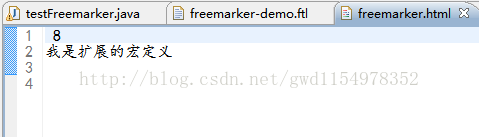
最后
以上就是害羞胡萝卜最近收集整理的关于FreeMarker 的入门应用-基础篇一.简介2.应用场景3.前期准备4.入门demo5.其他数据类型的全部内容,更多相关FreeMarker内容请搜索靠谱客的其他文章。








发表评论 取消回复