一、报错内容
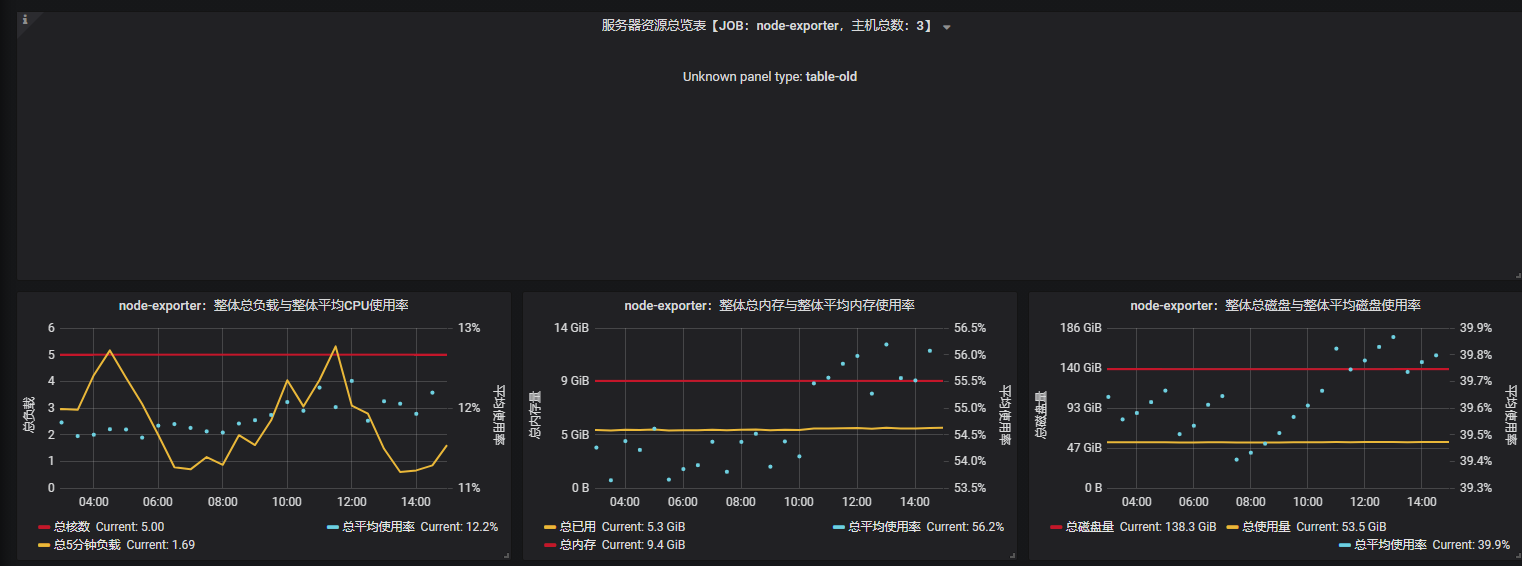
二、解决问题
通常这种情况为Import获取官方模板造成的情况
原因为不兼容,下载版本高的grafana即可
如图中报错版本为:grafana-5.3.4-1
升级grafana版本为:grafana-7.5.4-1
下载地址:https://wget.52liangzy.top/prom/grafana-7.5.4-1.x86_64.rpm
升级步骤:
[root@lzy prom]# wget https://wget.52liangzy.top/prom/grafana-7.5.4-1.x86_64.rpm

[root@lzy prom]# yum install initscripts fontconfig

[root@lzy prom]# rpm -Uvh grafana-7.5.4-1.x86_64.rpm   //升级grafana,源数据会保留

[root@lzy prom]# systemcat restart grafana
访问grafana:

解决问题!!!
最后
以上就是踏实豆芽最近收集整理的关于Grafana报错:Panel plugin not found: table-old的全部内容,更多相关Grafana报错:Panel内容请搜索靠谱客的其他文章。
本图文内容来源于网友提供,作为学习参考使用,或来自网络收集整理,版权属于原作者所有。








发表评论 取消回复