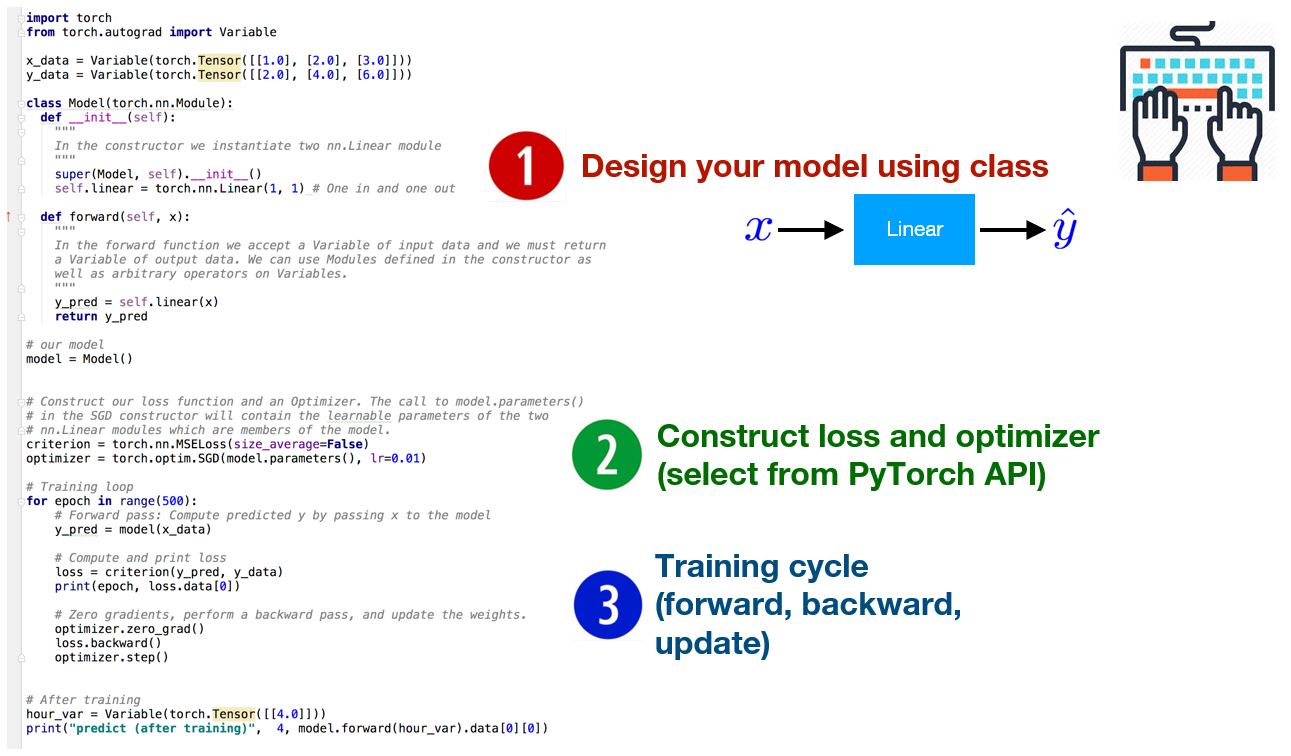
几个步骤要记住
1.Design your model using class、
2.Construct loss and optimizer (select from PyTorch API)
3. Training cycle (forward, backward, update)
(同时写代码的时候,一定要对齐)
import torch
from torch.autograd import Variable

x_data = Variable(torch.Tensor([[1.0], [2.0], [3.0]]))
y_data = Variable(torch.Tensor([[2.0], [4.0], [6.0]]))


class Model(torch.nn.Module):

    def __init__(self):
        """
        In the constructor we instantiate two nn.linear module
        """
        super(Model, self).__init__()
        self.linear = torch.nn.Linear(1, 1)  # onr in and one out

    def forward(self, x):  # (自己犯的错误是 两个def未对齐,导致找了好长时间错误,一定要吸取教训)
        """
        In the forward function we accept a Variable of input data and we must return
    a Variable of output data. We can use Modules defined in the constructor as
    well as arbitrary operators on Variables.
        """
        y_pred = self.linear(x)
        return y_pred


# our model
model = Model()
# Construct our loss function and an Optimizer. The call to model.parameters()
# in the SGD constructor will contain the learnable parameters of the
# two nn.Linear modules which are members of the models.

criterion = torch.nn.MSELoss(size_average=False)
optimizer = torch.optim.SGD(model.parameters(), lr=0.01)

# Training loop
# Forward pass :Compute predicted y by passing x to the model
for epoch in range(500):
    y_pred = model(x_data)
    # Compute and print loss
    loss = criterion(y_pred, y_data)
    print(epoch, loss.data[0])

    # Zero gradients,perform a backward pass,and update the weights
    optimizer.zero_grad()
    loss.backward()
    optimizer.step()

# After training
hour_var = Variable(torch.Tensor([[4.0]]))
y_pred = model(hour_var)
print("predict (after training)", 4, model(hour_var).data[0][0])
最后
以上就是腼腆小丸子最近收集整理的关于PyTorch Lecture 05: Linear Regression in the PyTorch way的全部内容,更多相关PyTorch内容请搜索靠谱客的其他文章。
本图文内容来源于网友提供,作为学习参考使用,或来自网络收集整理,版权属于原作者所有。








发表评论 取消回复