iview根据权限table表格控制columns 的某列显示与隐藏(通用)
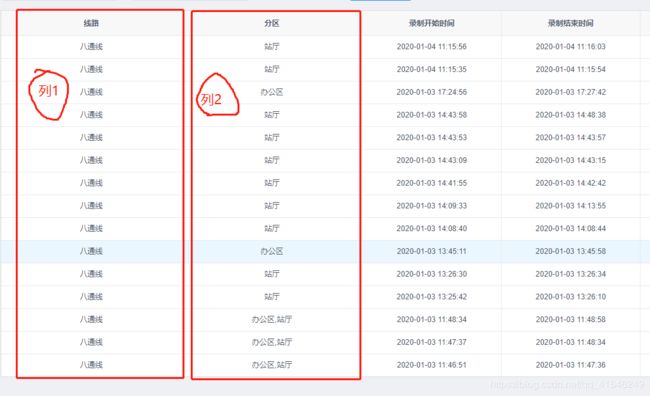
先给一个UI设计图:
1.需求描述
根据权限控制某列中显示与隐藏
2.使用场景
根据不同用户(普通用户,vip用户),展示对应的列
3.解决思路
将原来的columns copy一份,然后根据权限去让它过滤对应的列,就能返回最新的columns了
举个例子,代码如下
created() {
userType(type) {
// type: 1 普通用户 2 vip用户 如果是普通用户则不能看到 couponAbleNum 这一列。
if (type == '1') { //此处判断不用用户类型是否有有对应的列权限
this.columns = this.columns.filter(col => col.type !== 'couponAbleNum' )
} else {
this.columns = this.columnsCopy
}
}
}
根据条件让:列1显示的时候列2隐藏,或者列2显示,列1隐藏;
做法如下:
//过滤掉,TCC 分区一列不显示,sc线路一列不显示
handleColumns(){
// console.log("historyColumns:",this.historyColumns);
let userType = this.$store.state.user.serverNodeId.substring(4,8);
// console.log("userType",userType);
if( userType !== "ZZZZ"){
this.historyColumns = this.historyColumns.filter(col => col.key !== 'lineName' );
}else{
this.historyColumns = this.historyColumns.filter(col => col.key !== 'areaName' )
}
}
mounted(){
this.handleColumns();//过滤哪列隐藏
},
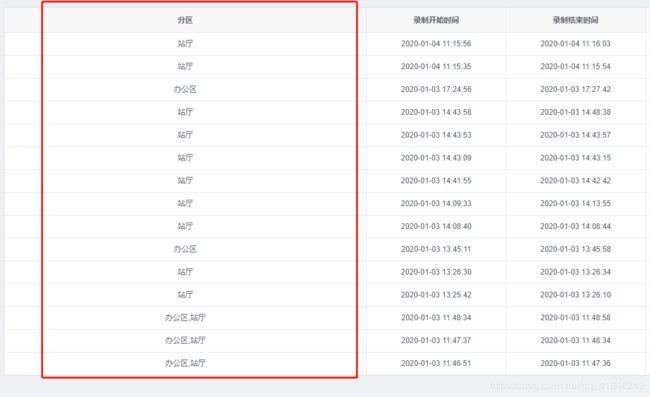
完工:
最后
以上就是落后面包最近收集整理的关于html表格的某一列不显示,(iview)根据权限table表格控制columns 的某列显示与隐藏(通用)...的全部内容,更多相关html表格的某一列不显示,(iview)根据权限table表格控制columns内容请搜索靠谱客的其他文章。








发表评论 取消回复