想不到在我使用第一个UI控件ImageView时候就遇上了问题,简单使用ImageView如下:
<ImageView
    android:layout_width="match_parent"
    android:layout_height="wrap_content"
    android:src="@drawable/homePage"
    />
图片显示在屏幕上,上下总是有间隙,后面一顿搜索,发现只需要加上一行代码就能搞定,如下:
<ImageView
    android:layout_width="match_parent"
    android:layout_height="wrap_content"
    android:src="@drawable/jianzhi"
    android:adjustViewBounds="true"/>
参考:【https://blog.csdn.net/qq_34475058/article/details/53423026】
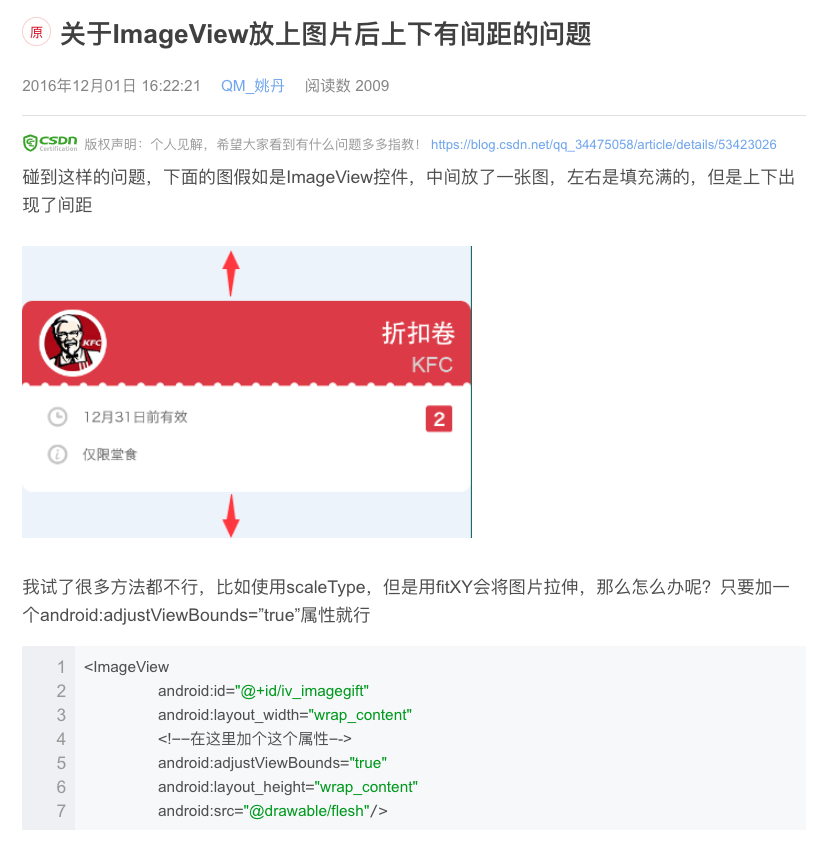
文章截图:
转载于:https://www.cnblogs.com/cchHers/p/11308618.html
最后
以上就是热情冬日最近收集整理的关于安卓开发:用ImageView放上图片后上下有间隙的全部内容,更多相关安卓开发内容请搜索靠谱客的其他文章。
本图文内容来源于网友提供,作为学习参考使用,或来自网络收集整理,版权属于原作者所有。








发表评论 取消回复