动画模拟布朗运动随机游走和停靠效果-Python小屋
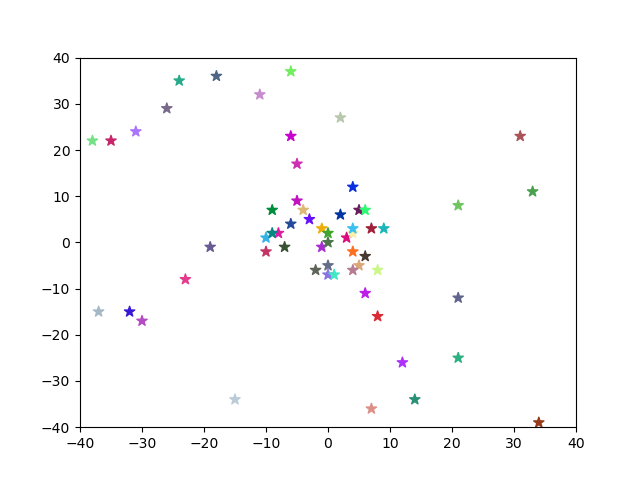
照着Python小屋的推送,动手敲了一下动画模拟布朗运动随机游走和停靠效果
from tkinter.messagebox import showinfo
import numpy as np
import matplotlib.pyplot as plt
import matplotlib.animation as animation


#c 表示散点数量
r, c = 2, 30
fig, ax = plt.subplots()
plt.xlim(-40, 40)
plt.ylim(-40, 40)
def init():
    showinfo('hi', 'a new animation - xhc')
    global positions, stop_positions, scatters
    #散点初始位置和预期停靠位置
    positions = np.random.randint(-10, 10, (r, c))
    stop_positions = np.random.randint(-39, 39, (r, c))
    #每个散点的颜色,随机彩色
    colors = np.random.random((c,3))
    scatters = ax.scatter(*positions, marker='*', s = 60, c = colors)
    return scatters,


def update(i):
    global positions
    #随机游走,两个方向随机加减1 , 都限定在[-39,39]区间内
    offsets = np.random.choice((1,-1),(r,c))
    #已经到达指定坐标的三点不再移动
    offsets[positions==stop_positions] = 0
    if offsets.any():
        positions = positions + offsets
        positions[positions>39] = 39
        positions[positions<-39] = -39
        #更新散点位置
        scatters.set_offsets(positions.T)
        yield scatters
    else:
        init()

ani_scatters = animation.FuncAnimation(fig,init_func=init,func=update,interval=0.5,blit=True)
plt.show()
最后
以上就是幽默雪糕最近收集整理的关于动画模拟布朗运动随机游走和停靠效果-Python小屋动画模拟布朗运动随机游走和停靠效果-Python小屋的全部内容,更多相关动画模拟布朗运动随机游走和停靠效果-Python小屋动画模拟布朗运动随机游走和停靠效果-Python小屋内容请搜索靠谱客的其他文章。
本图文内容来源于网友提供,作为学习参考使用,或来自网络收集整理,版权属于原作者所有。








发表评论 取消回复