下载安装命令
npm install --save tocbot
下载后将dist目录下面的内容copy到自己的项目目录下
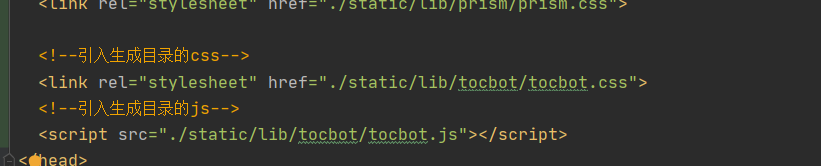
然后在组件中引入这个插件的css和js
在组件的mounted钩子函数中添加这段代码
// 生成目录插件初始化
      tocbot.init({
        // Where to render the table of contents.
        tocSelector: '.js-toc',   // 生成的目录放在哪儿 , 这里用css选中
        // Where to grab the headings to build the table of contents.
        contentSelector: '.js-toc-content', // 生成目录的源在那儿 , 就是给谁生成目录
        // Which headings to grab inside of the contentSelector element.
        headingSelector: 'h1, h2, h3 , h4 , h5 , h6', // 能给生成的几级标题
        // For headings inside relative or absolute positioned containers within content.
        hasInnerContainers: true,
      });

注意我的注释 , 把对应的css选择器放到自己相放的div中
效果

最后
以上就是甜甜鸵鸟最近收集整理的关于通过网页内容生成目录的全部内容,更多相关通过网页内容生成目录内容请搜索靠谱客的其他文章。
本图文内容来源于网友提供,作为学习参考使用,或来自网络收集整理,版权属于原作者所有。


发表评论 取消回复