大家在执行git时会报这样的问题
ERROR: Repository not found.
fatal: Could not read from remote repository.
Please make sure you have the correct access rights
and the repository exists.
具体例子如下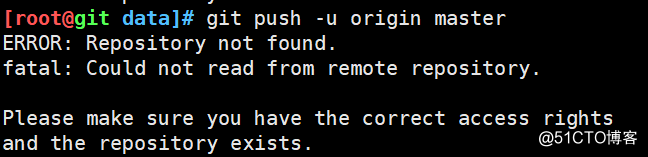
解决方案是
执行git remote set-url命令来修改remote URL
git remote set-url传递两个参数$1和$2
$1即remote name;例如,origin或者upstream
$2即new remote url。例如,git@github.com:cursrs366/git_test.git
git remote set-url $1 $2
git remote set-url origin git@github.com:courser366/git_test.git
执行git remote -v查看是否成功
或者执行具体命令查看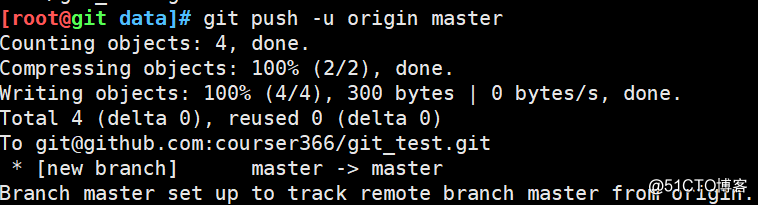
最后
以上就是单身指甲油最近收集整理的关于git报错ERROR: Repository not found.的解决办法的全部内容,更多相关git报错ERROR:内容请搜索靠谱客的其他文章。
本图文内容来源于网友提供,作为学习参考使用,或来自网络收集整理,版权属于原作者所有。








发表评论 取消回复