NumberPicker的使用,如果我们想使用这个效果:
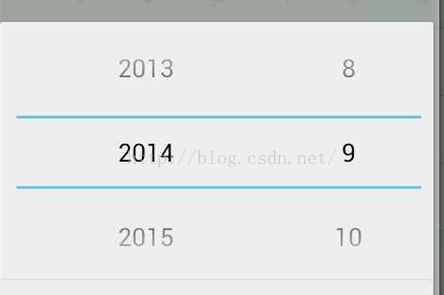
而不是这个效果:
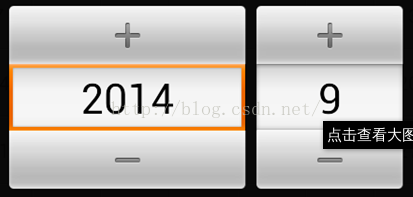
一、最简单的方法是在AndroidManifest.xml 删除application标签中Android:theme属性
亲测可用,但一般在Application自定义Theme后不建议这样。
二、在AndroidManifest文件中直接给Actitivy配置theme属性:
   <activity
       android:name=".activity.MainActivity"
       android:theme="@android:style/Theme.Holo.Light.NoActionBar" />
   亲测可用
三、也可以修改以下style文件:
1. values/style.xml:
<style name="AppBaseTheme" parent="@android:style/Theme.Light.NoTitleBar">
</style>
<style name="AppTheme" parent="AppBaseTheme">
</style>
2. values-v11/style.xml:
<style name="AppBaseTheme" parent="@android:style/Theme.Holo.NoActionBar">
</style>
3. values-v14/style.xml:
<style name="AppBaseTheme" parent="@android:style/Theme.Holo.Light.NoActionBar">
</style>
最后
以上就是优雅丝袜最近收集整理的关于NumberPicker的显示样式设置的全部内容,更多相关NumberPicker内容请搜索靠谱客的其他文章。
本图文内容来源于网友提供,作为学习参考使用,或来自网络收集整理,版权属于原作者所有。








发表评论 取消回复